Google Voice in India

By abhishek

UPDATE (28/02/2011): Till yesterday Voice was working only on BSNL EVDO but today it started working on our lease-line based connection as well and whats more now i am also able to add credits to the account which was not possible since last few days. +301 is the number from which you will see incoming calls

UPDATE (30/01/2011): Google Voice was deactivated from my account but today (30th Jan 2011) it is again available i am using a BSNL EVDO based Internet connection and my IP is 117.254.221.163 (dynamic) the location of this IP is in India here is an IP Location Lookup result

117.254.221.163 IN INDIA   RAJASTHAN JAIPUR

(NATIONAL INTERNET BACKBONE)


A Long wait for Google Voice in india ends here, still there is no official announcement for the service but its now working.

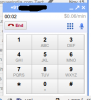
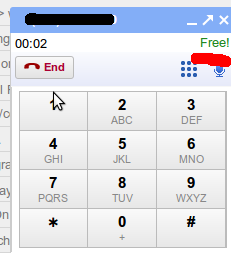
The Service incidental got activated in my Google Aps Account today and i was able to make calls the minimum recharge option available is $10.00 calling charges can be found here. Calling to United States in Free.

When a user calls from Google Voice the recipient will see an incoming call from +1XXXXXXXXXX Number.

and i can confirm that the plugin is available for Debian & Suse
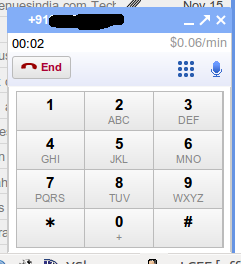
India Calling $0.06/minUS Calling Free

UPDATE: Google Voice worked over BSNL EVDO last night but now when i am trying to use it over a differennt ISP its not working.

Integrating SMS Solution to Drupal Websites

By abhishek
SMS List Block

Reaching out to the targeted audience, is one of the goal for any business. here is a list of modules which will allow your website to interact with your audience

  • SMS Framework : Provides a extensible API that facilitates communication between Drupal and various SMS gateways.
    • SMS Actions : Provides an action for sending outgoing messages and the ability to define custom triggers for incoming messages.
    • SMS Blast : Allows bulk text messages to be sent to registered users.
  • SMS List : Manages Subscriptions, and send text messages when needed

SMS Gateways

Other then the module mentioned above you will need an active subscription to a SMS Gateway to send or recieve SMS and a module which can integrate these gateways, Drupal modules for the following SMS Gateways are available

  • Clickatell (International Support over 200 Networks) (Included in Core)
  • MySMSMantra (Only for Indian Numbers)

To Test the service you can even use Email Gateways or Log Only Mode availaable in SMS Framework. A complete list of Supported Gateways is available here.


Restore GRUB 2

By abhishek

In most of the systems GRUB is now upgraded to 2.0 and with this update the old restore process have also changed now there is no grub command :) available.

If you have lost the Bootloader after a routine reinstall or due to any other reason try the following to restore

Boot Using a Live CD and try the following as root

grub-setup -d /media/XXXXX/boot/grub -m /media/YYYYY/boot/grub/device.map /dev/sda

Where XXXXX represents the root partition and YYYYY represents the partition holding the /boot in case you dont have a seperate partition for /boot then XXXX and YYYY would be be the same. /dev/sda may change depending on the system you are using.

Please note this would erase the current bootloader and install a new one for you if you are unsure of what you are doing do not try this

Once done reboot and you will get the GRUB Menu in case you have lost your other OS from the Menu run a

grub-update

for more information visit the Documention here.


The Rupee Mystery

By abhishek

UPDATE : Webrupee Module for Drupal is also available

RsThe Symbol for Indian currency was approved by the Union Cabinet on 15 July 2010.

This symbol was selected from among five shortlisted symbols and is designed by an Indian Institute of Technology (IIT) postgraduate D. Udaya Kumar and since this date the quest of displaying this symbol started. Font incorporating the new symbol was launched same day by Foradian Technologies and is available for free Download.

The next bigger question was How to Display the New Symbol Rs. Online, recently my friend Aman Jain & Meher Ranjan have come up with Web Rupee an API which can do this trick for you here is an howto for the same

How to Use WebRupee API ?

1) Add a stylesheet link in the head section of your webpage:

<link rel="stylesheet" type="text/css" href="http://webrupee.com/font">

2) Add the following code enclosing your "Rs."

<span class="WebRupee">Rs.</span> 200

OR

1) Just include the following javascript and it will update all the " Rs " / " Rs. " for you

<script src="http://webrupee.com/js" type="text/javascript"></script>

The above API works very well and have been tested by many, As of now this is THE solution to display the Symbol.

The idea behind Web Rupee is great, i would request Aman to allow us make copies of js and ttf on our own servers which would make things faster.

But the final solution would be UTF Character, Indian Government is proposing an Unicode Character U+0971 to be assigned to Rupee Symbol. However, getting the Unicode to be a standard Character set is sure to take some time (if at all it does). If that is done, you will be able to type Rupee symbol character as easily as a $ (US Dollar) symbol.

Related Readings